Custom booking system development for Saudi venues
Cicada Solutions builds booking, reservation and session systems for Saudi venues where the calendar is only half the story: tables, courts, rooms and staff, check-in at the door, deposits, and what the floor actually earned.
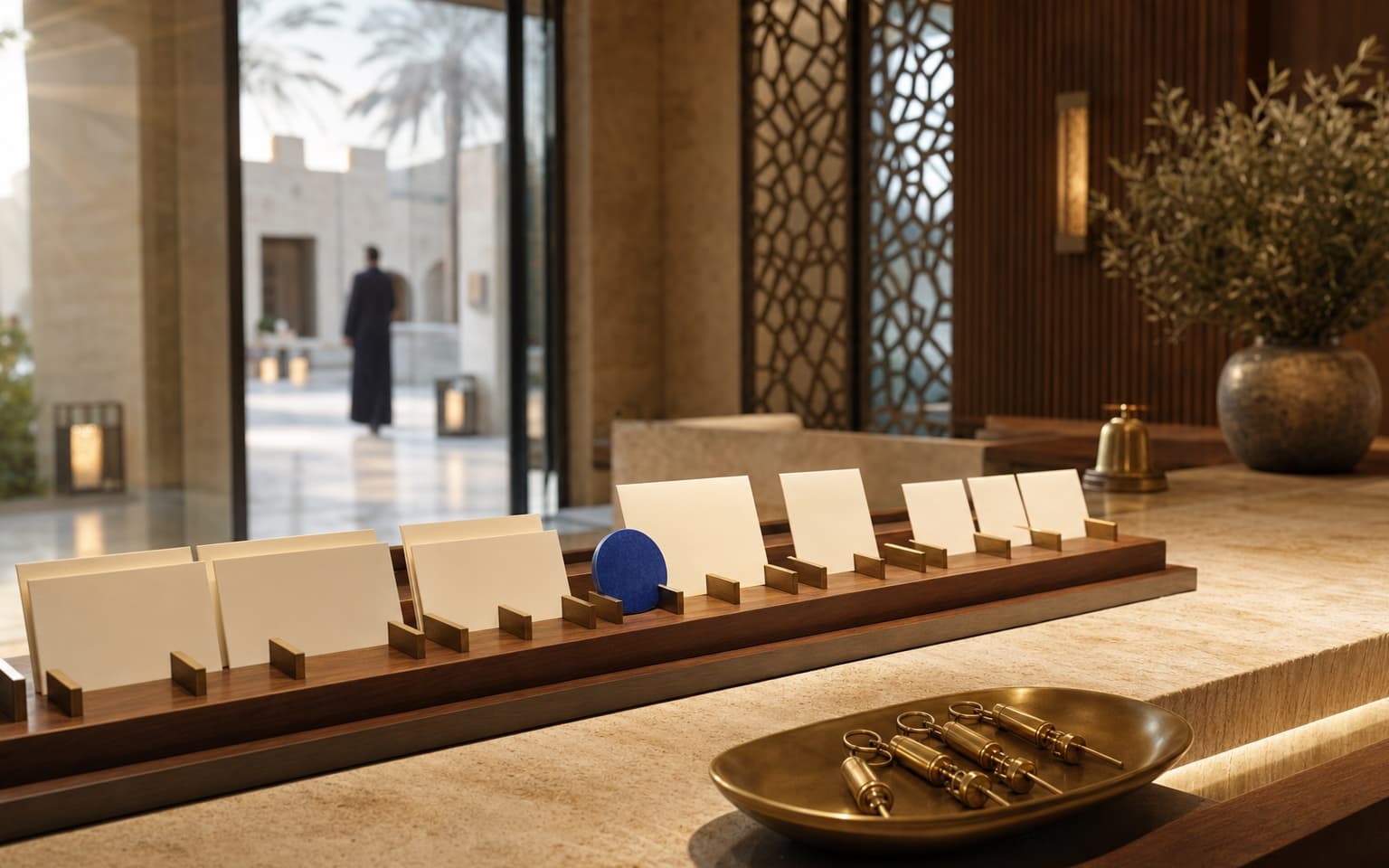
- 01Every channel, one calendar
- 02Capacity rules that fit your floor
- 03Client-owned code and IP
- 04Check-in to checkout in one record
A venue loses money in the gap between a booking and the floor.
Most venues already take bookings. The trouble starts when the booking, the floor and the till each keep their own version of who is coming, what they reserved and what they paid.
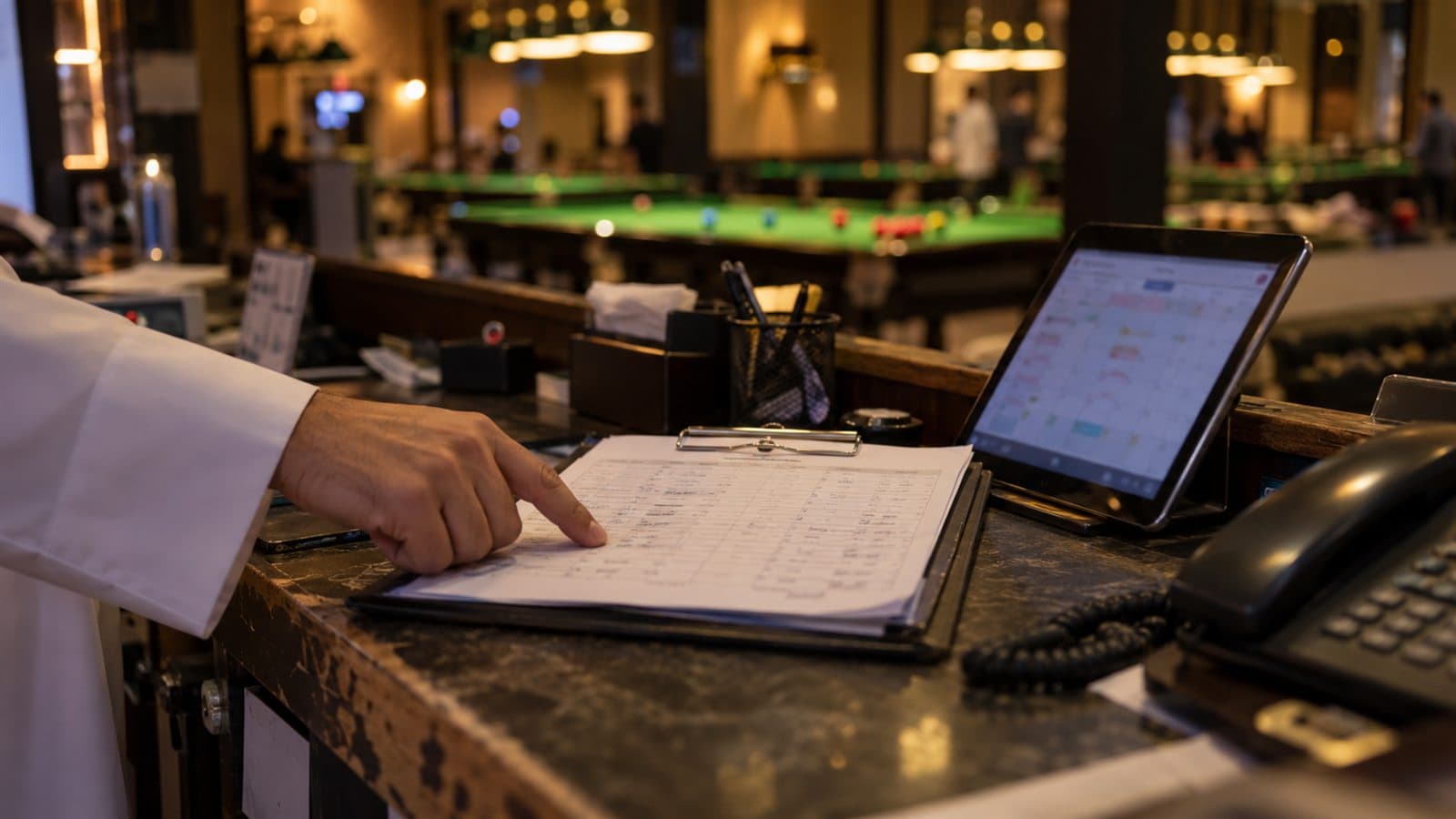
Bookings arrive on five channels
Phone calls, WhatsApp messages, walk-ins, social media and the website all end up in one notebook, written by whoever picked up.
Capacity is not one number
Tables, courts and rooms differ in size and price, staff have their own schedules, and slots overlap. A simple calendar cannot see the conflict until the guests arrive.
No-shows cost the peak
Thursday night slots are held for guests who never come, with no deposit, no reminder and no waitlist to fill the gap.
Sessions and revenue drift apart
Sessions run over, guests move tables and extras are added from memory, so the day's revenue never quite matches what the floor delivered.
Follow one booking from the first message to the revenue report.
A useful booking system carries the same record from the reservation to the door, the floor and the till. These screens come from Cue Control, a pool club management system Cicada built for a client.
Take the booking once, from any channel
Phone, WhatsApp, website or walk-in, every booking becomes one record with the resource, duration, guest details and any deposit.
Confirm, remind and secure the slot
Guests receive a confirmation and a reminder, with a deposit or pre-payment link where your rules require one.
Run the floor from one live view
Staff see which tables or rooms are free, occupied or about to finish, start sessions at the right rate and seat walk-ins without breaking a reservation.
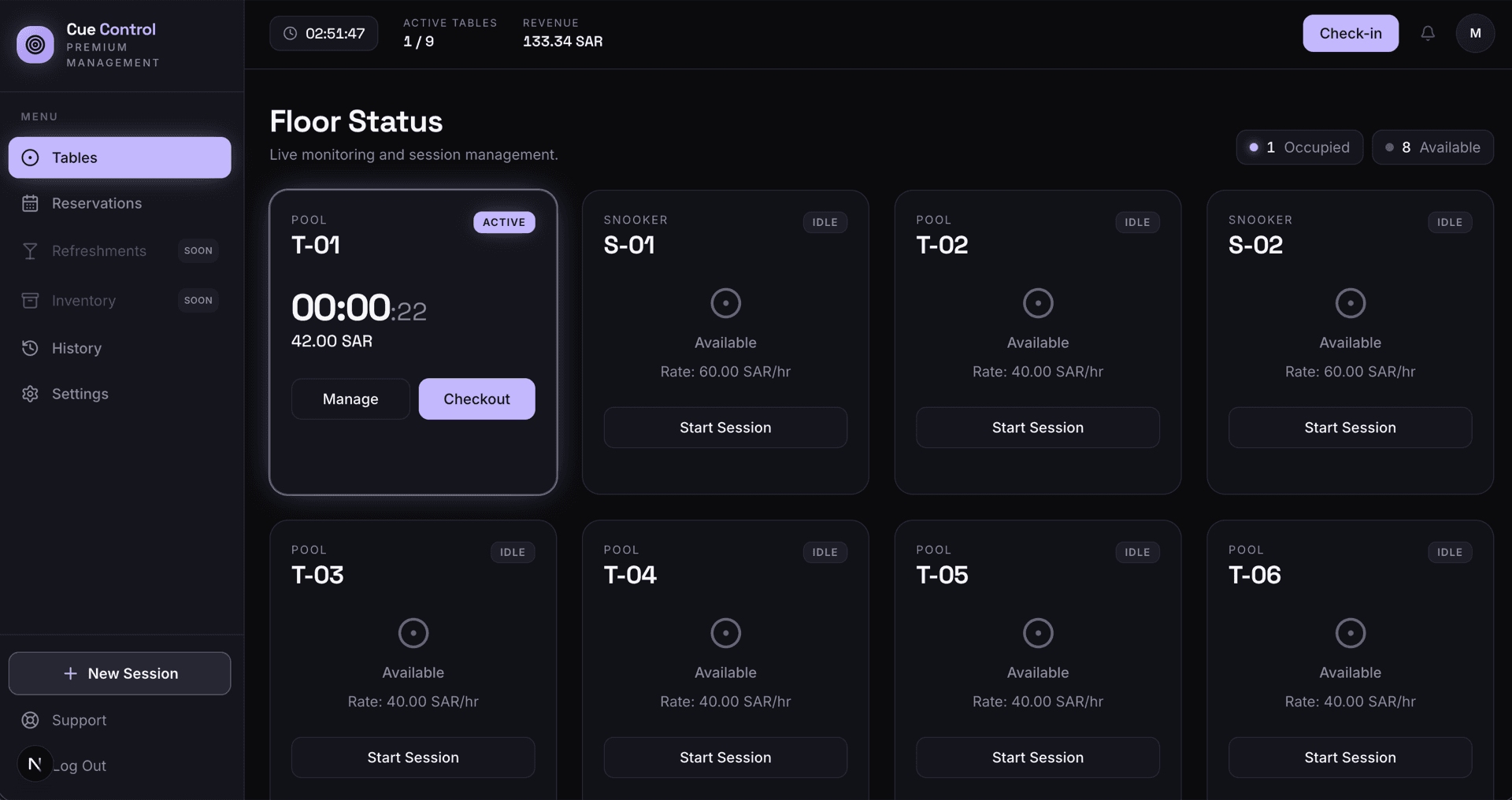
Extend, move and add extras without losing the bill
Sessions can be extended, moved to another table or combined, and food or extras are added to the same record before checkout with mada or card.
See what every resource earned
Managers review revenue by day, table and rate, with a session ledger that explains each figure.
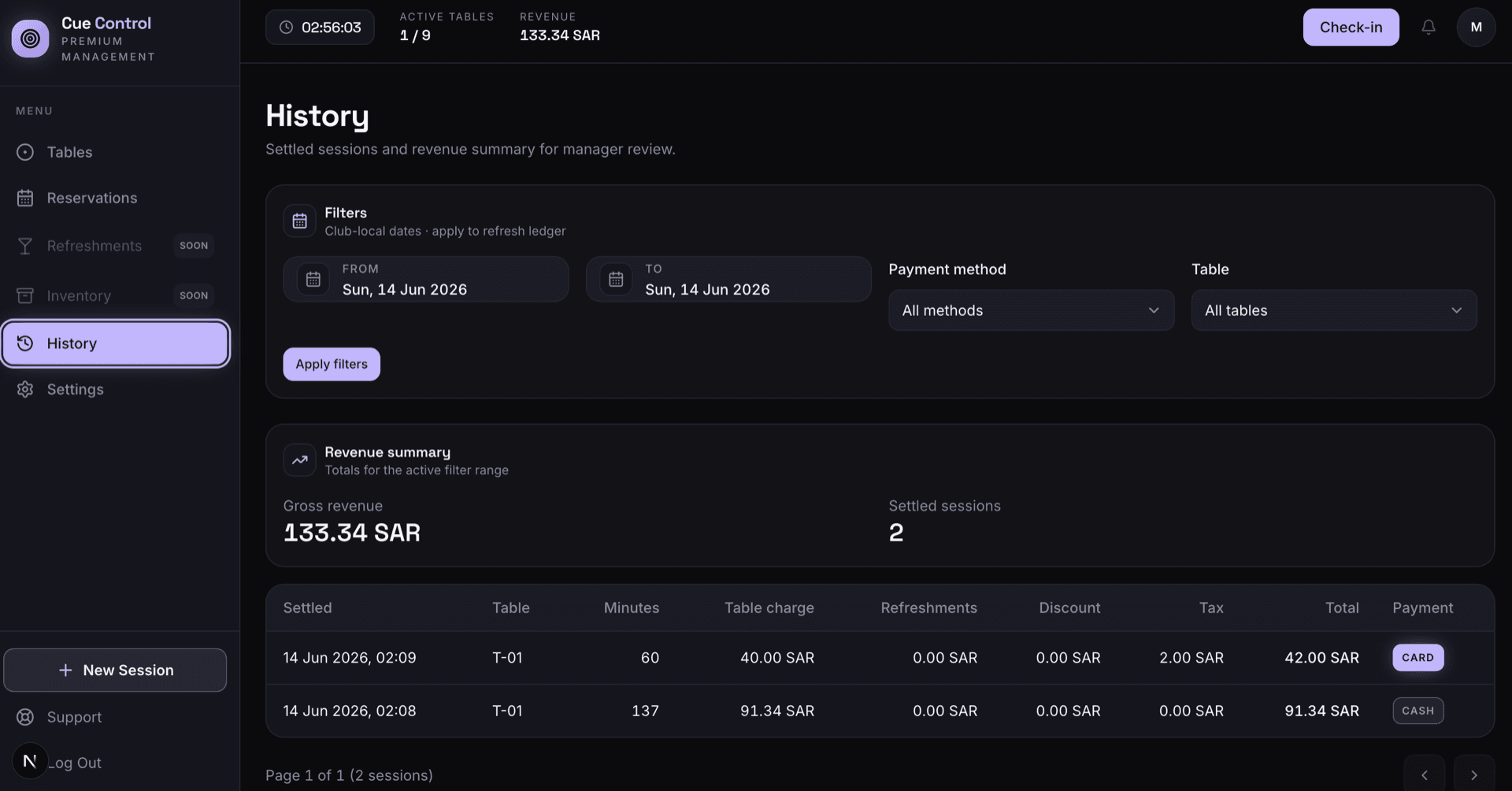
Cue Control screens are shown with sample data. Your resources, rates and rules shape your own build.
The records and controls the front desk actually uses.
- Multi-channel booking intake
- Resource and capacity rules
- Slots, durations and buffers
- Deposits and pre-payment
- Confirmations and reminders
- Check-in and walk-ins
- Live session timing by rate
- Waitlist and no-show rules
- Memberships and packages
- Revenue and utilization history
Different venues need different booking shapes.
Recreation and entertainment venues
Pool and snooker halls, padel courts, bowling and gaming lounges, where time is the product and sessions are billed by rate.
- Sessions timed by rate
- Walk-ins alongside bookings
- Food and extras on the session
Clinics, salons and appointment services
Services with set durations, booked against the right staff member and room, with reminders that cut no-shows.
- Staff and room schedules
- Service durations and buffers
- Reminders and rebooking
Experiences and event spaces
Tours, workshops, private rooms and events with capacity per slot, group bookings and tickets checked at the door.
- Capacity per slot
- Group and corporate bookings
- Ticket check at entry
Connect the booking to the channels and tills around it.
Integration planning starts with one question: which system holds the truth about a slot, and how every other channel learns that it has been taken.
The custom system
One record of truth. Each connection has an owner and a failure path.
- 01
Website and booking page
Live availability on your own site, with the same rules the front desk follows.
- 02
WhatsApp Business and SMS
Confirmations and reminders through an approved provider, sent only to guests who have agreed to receive them.
- 03
Payments
Deposits and pre-payments by card, mada or Apple Pay through your gateway, plus terminals at the desk.
- 04
POS
Food and drink orders added to the guest's session so one bill settles everything.
- 05
Customer records
Bookings sync to the customer record, so repeat guests, preferences and spend are visible. Where the customer journey is the bigger need, see our custom CRM development.
- 06
Accounting
Daily revenue by resource and tender posted to accounting without re-keying.
Evidence from a booking system we have built.
Cue Control applies the discipline a booking system needs: live capacity, sessions that bill themselves, reservations that respect the floor, and a ledger that explains the revenue.
Pool club management
Cue Control
Table management, reservations, check-in and revenue tracking in one system the floor runs on.
Open proof02Try it yourself
Cue Control demo
Start a session, check in a booking and close a table with sample data.
Open proof03Sector brief
Recreation venue software
How Saudi recreation venues connect reservations, sessions, food and revenue.
Open proofJudge the system by full slots and clean bills.
Booking value shows up as fewer conflicts, fewer empty prime-time slots and revenue that matches the floor. Each should be measured against a baseline taken before launch.
Booking capture
Measure whether every enquiry becomes a booking quickly.
- Bookings by channel
- Time to confirm a booking
- Unanswered calls and messages
Capacity
Measure how well the floor is used at its most valuable hours.
- Peak-hour utilization
- Double bookings
- Empty prime-time slots
No-shows
Measure how much reserved capacity actually arrives.
- No-show rate
- Deposits collected
- Slots refilled from the waitlist
Revenue
Measure whether every session is billed as delivered.
- Session revenue against expected
- Unbilled extensions and extras
- Revenue per resource hour
During discovery, Cicada agrees the baseline, target, measurement owner and review window with you. Results depend on adoption, demand and operating decisions; they are not guaranteed.
A custom booking system is not always the right answer.
Appointment and booking subscriptions work well for simple schedules. Custom development earns its place when your resources, sessions, pricing or floor operations are what make the venue different.
| Decision | Booking subscription | Custom booking system |
|---|---|---|
| Resource model | Staff calendars or fixed time slots. | Tables, courts, rooms and staff with their own sizes, rates and rules. |
| Floor operations | Stops at the booking. | Continues through check-in, live sessions, extras and checkout. |
| Connections | Limited to the vendor's integrations. | Follows your website, messaging provider, POS and accounting. |
| Ownership | Priced per location or staff member while you subscribe. | The client owns the code and IP for the custom build by default. |
Answer the expensive questions before the build.
Each page resolves one question venue owners and operators ask before they change how bookings work.
Recreation venue software
The sector view for Saudi entertainment and recreation venues.
Open pageCue Control interactive demo
Run the floor of a pool club with sample data.
Open pageCustom CRM development
Keep every guest, booking and follow-up on one customer record.
Open pageRestaurant POS software
When food and drink service is a large part of the venue.
Open pageCustom dashboard development
Utilization and revenue by resource, hour and day on one screen.
Open pagePDPL enforcement brief
Why reminders and marketing messages need recorded consent.
Open pageStart at the front desk on a busy night. Commit in useful stages.
- 01
Front desk observation
Watch bookings, walk-ins and checkouts on a peak night, and list every place a slot or a bill goes wrong.
- 02
Resource and rules model
Define resources, rates, durations, buffers, deposits and no-show rules before designing screens.
- 03
Booking and check-in first
Release booking intake, the live floor view and check-in, because conflicts are where money is lost first.
- 04
Payments, reminders, POS
Add deposits, confirmations and the POS connection once the core is trusted by the team.
- 05
Memberships and reporting
Add packages, memberships and utilization reporting on real booking data.
Data and access
Front desk, floor staff and managers see what their role needs, and refunds or rate changes need approval.
Consent and hosting
Reminders and offers go only to guests who agreed, in line with PDPL, on cloud or self-hosted infrastructure.
Ownership and support
The client owns the custom code and IP by default, with a documented path for support and new resources.
Built in Riyadh for venues that peak on weekend nights.
Saudi Arabia's entertainment and recreation sector has grown quickly under Vision 2030, and many venues still run bookings from a phone and a notebook. Schedules shift for Ramadan hours, and some venues plan slots around prayer times. Cicada is based in Riyadh and works with venues across the Kingdom.
Practical answers before the first conversation.
01Can guests book through WhatsApp?
Bookings that arrive on WhatsApp can be recorded in seconds by the desk, and confirmations or reminders can go out through the WhatsApp Business platform once an approved provider is set up.
02Can we take deposits to reduce no-shows?
Yes. Deposit and pre-payment rules can apply to selected days, times or resources, with refund and no-show policies applied consistently.
03Can the schedule follow Ramadan hours and prayer times?
Yes. Opening hours, slot lengths and blocked periods can change by season or by day, so Ramadan hours or prayer-time breaks are part of the rules rather than manual edits.
04Do walk-ins and bookings work together?
Yes. The live floor view shows upcoming reservations, so staff can seat a walk-in only where it will not clash with a booked slot.
05Can we sell memberships and packages?
Yes. Memberships, prepaid hours and packages can be sold, tracked and redeemed against sessions, with balances visible at check-in.
06How long does a first release take?
Most first releases go live in four to eight weeks after discovery, usually covering booking intake, the live floor view and check-in.
07Do we own the code and intellectual property?
Yes. Cicada Solutions' default position is that the client owns the code and IP for the custom build, subject to the final agreement and any clearly identified third-party services.
Show us where a booking goes wrong on a busy night.
Tell us what you book, how guests reach you and where slots, deposits or bills slip today. We will respond with a practical starting point.
- Resources: tables, courts, rooms or staff
- Booking channels you use today
- Deposit, no-show and pricing rules
- POS, payments or messaging to connect