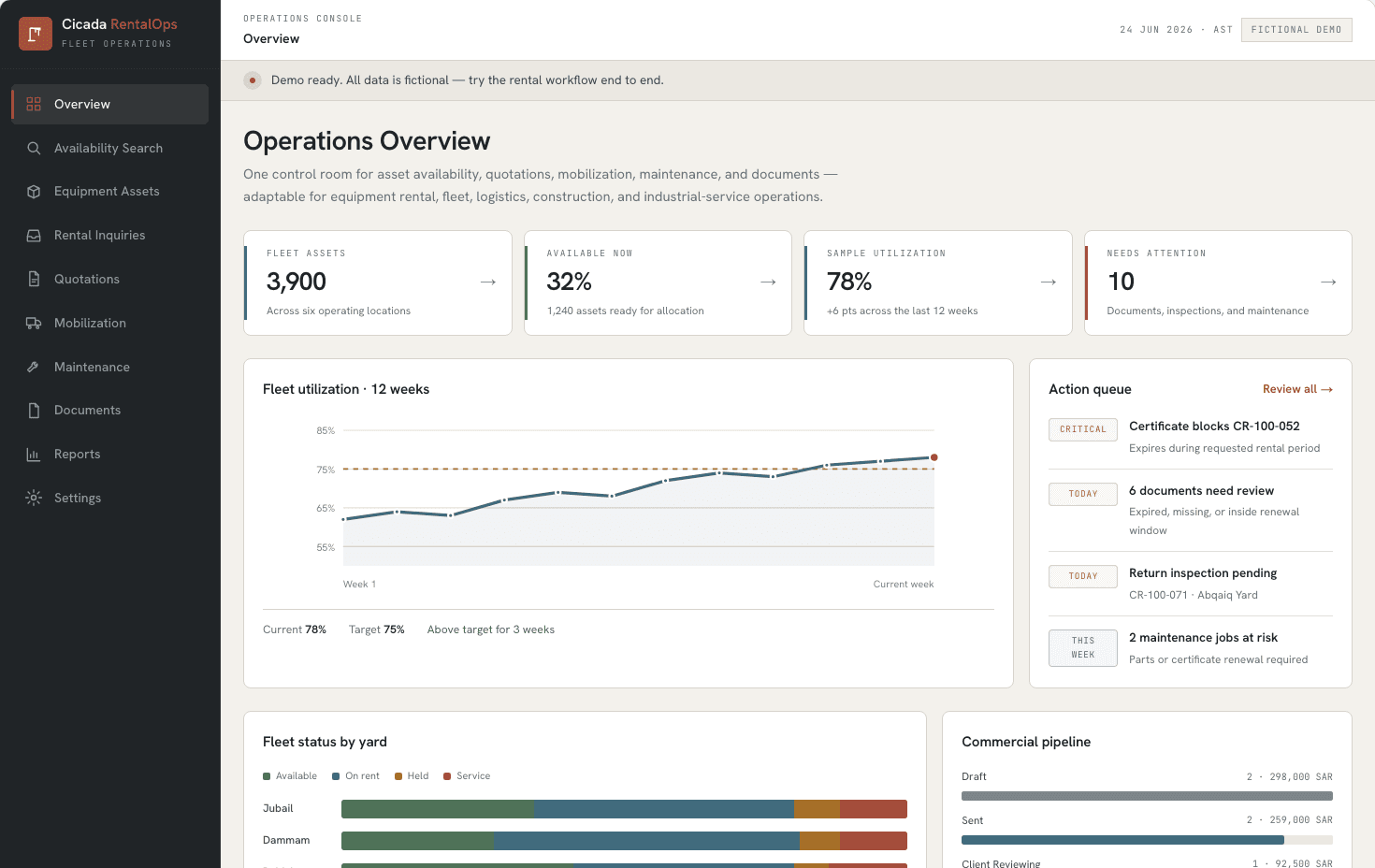
RentalOps maps the full equipment rental lifecycle into one operating system.
A system built by Cicada for rental and fleet-heavy teams that need to promise assets with confidence, hold availability, approve quotations, dispatch equipment, control documents, and see operational risk before it becomes expensive.
Availability
Date and yard aware
Commercial control
Timed holds and quotes
Fleet readiness
Documents, maintenance, dispatch
Evidence type
Interactive system built by Cicada
Data shown
Illustrative sample data
Workflow depth
Inquiry to return
Best fit
Rental, fleet, industrial services
What this system demonstrates.
RentalOps is a working system built by Cicada. The public showcase uses illustrative sample data while demonstrating asset availability, rental commitments, document blockers, maintenance handoffs, and management reporting.
Rental teams do not lose control in one big moment. They lose it through small invisible handoffs.
The software is designed around the decisions that happen before an asset is promised, while it is being mobilized, and before it can safely be rented again.
Availability is not just status.
A machine can look available and still be blocked by a certificate, inspection, yard location, operator requirement, or a quote already holding it.
Quotes create operational debt.
If commercial teams hold equipment in spreadsheets, dispatch and maintenance find out too late that the promise was already made.
Returns are where readiness breaks.
Demobilization, yard receipt, inspection, and maintenance need to close the loop before the asset is shown as rentable.
Managers need risk, not just reports.
Utilization, pipeline, downtime, document expiry, and yard availability belong in one operating view.
From inquiry to rentable again.
The system models the entire rental path instead of stopping at a dashboard. Each stage changes what the next team is allowed to do.
Inquiry
Demand captured
Availability
Fleet searched
Hold
Asset secured
Quote
Priced and approved
Reserve
Committed to client
Mobilize
Operator and transport
On rent
Working on site
Return
Inspect and reset
The key question: can this asset be promised for these dates?
RentalOps treats availability as a decision, not a colored badge. The screen brings date range, yard, specifications, certificate conflicts, alternate equipment, hold duration, and quote context together.
1. Search against the requested job.
Filter by equipment category, yard, site dates, and required specification before anything is promised to the customer.
2. Surface blockers before the quote.
Expired certificates, missing documents, maintenance windows, and existing holds show up while the salesperson can still choose an alternate asset.
3. Hold with an expiry.
A timed hold protects the commercial conversation without silently removing capacity from the fleet forever.
4. Move approval into operations.
Once approved, the commitment becomes mobilization work: operator assignment, transport, dispatch, site arrival, return, and inspection.
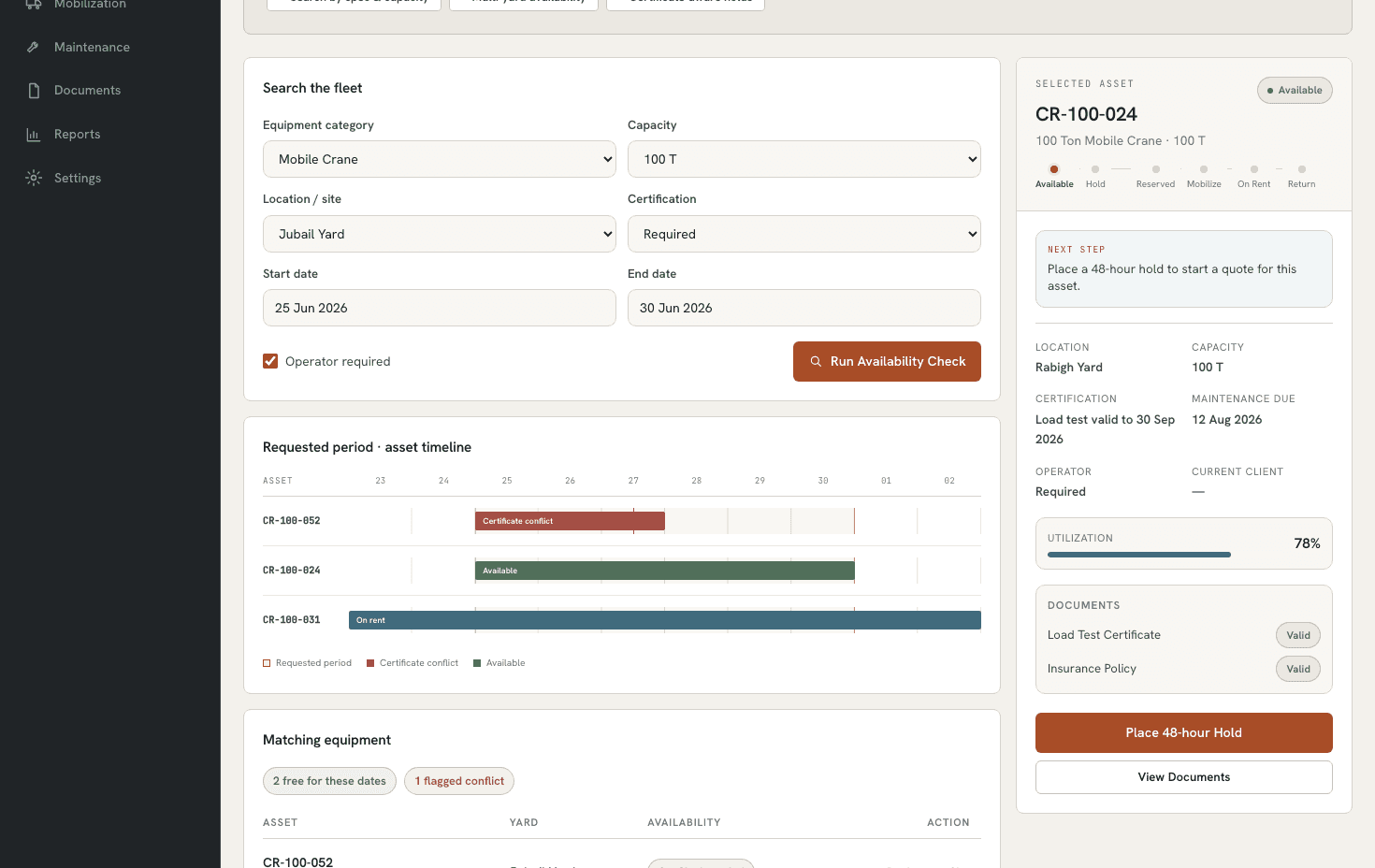
Conflict timeline
Shows document or certificate problems inside the requested rental window.
Alternate assets
Keeps the sale moving when the first asset is blocked.
Hold controls
Turns availability into a controlled commercial commitment.
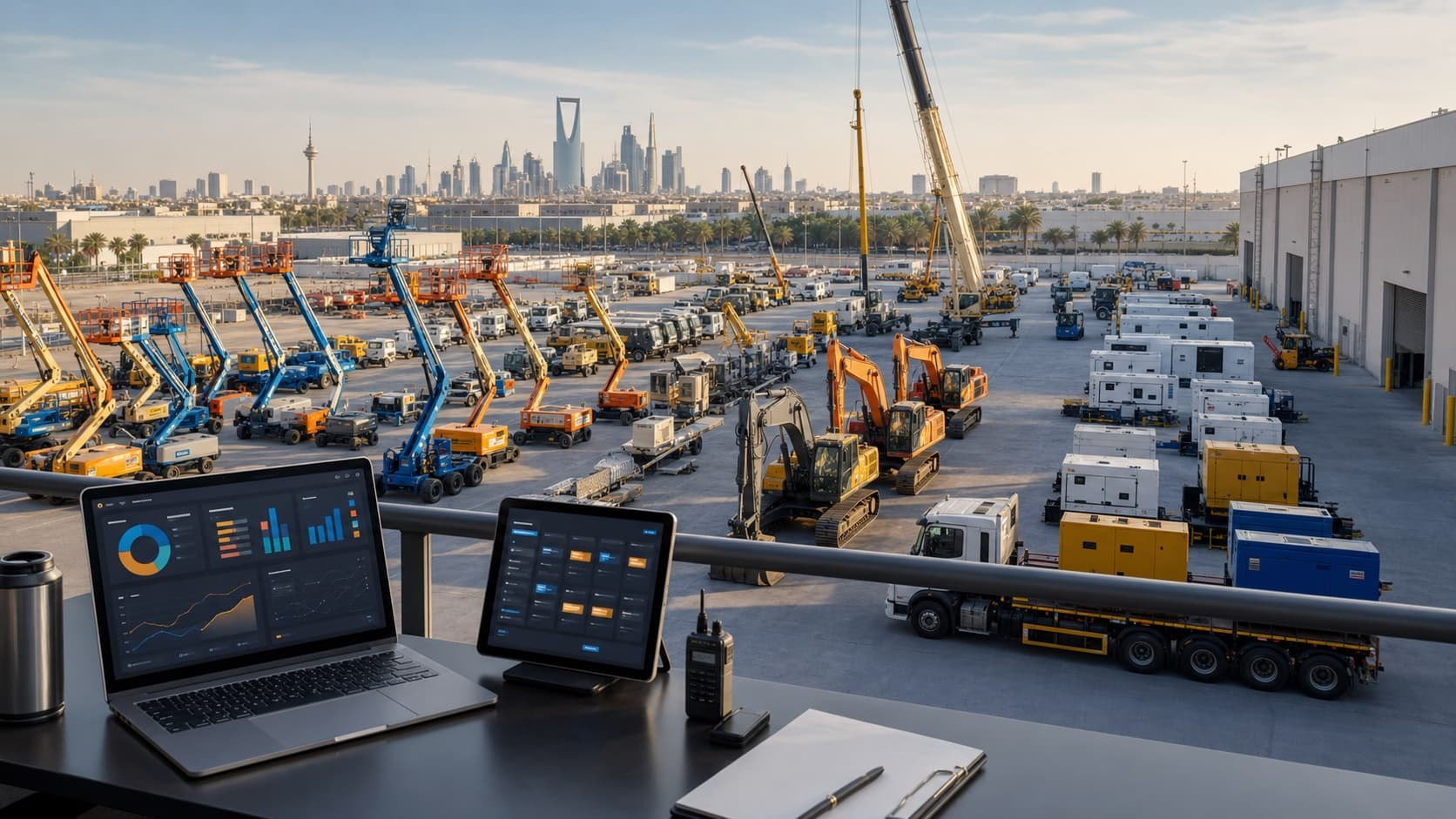
Built for yards, assets, operators, documents, and dispatch work.
The generated context image is not a real client yard. It represents the environment RentalOps is designed for: busy fleets, multiple equipment classes, time-sensitive commitments, and managers who need a single operating picture.
Asset classes
Heavy equipment, fleet, tools
Locations
Yards, sites, branches
Controls
Holds, documents, inspections
What a buyer can inspect in the system.
The best proof is not the number of screens. It is whether the software handles the awkward operational states that usually fall between teams.
Availability search
Search by dates, yard, category, specification, and availability state.
Inspect the availability screen and conflict timeline.
Quotation holds
Protect an asset for a limited window while the quote is being reviewed.
Change hold duration and see how the commitment is represented.
Mobilization
Turn an approved quote into operator, transport, gate pass, dispatch, and arrival work.
Move through mobilization jobs in the interactive system.
Maintenance handoff
Route return inspections and repairs before an asset becomes available again.
Check maintenance and return inspection queues.
Document control
Block rental decisions when critical certificates, insurance, or registrations are expired or missing.
Open the documents register and review blocked assets.
Management reporting
Combine utilization, pipeline, downtime, yard status, and upcoming risk.
Review the overview and reports tabs.
The product thinking behind the screens.
Model the operation first.
Before UI, define every asset state, commitment, handoff, exception, and owner across commercial, yard, dispatch, and maintenance teams.
Design around blockers.
Good operations software is calm when things are healthy and very clear when a document, quote, inspection, or job cannot proceed.
Integrate where the business already runs.
A real build can sit beside ERP, accounting, spreadsheets, contract tools, document stores, and customer portals instead of forcing a full replacement first.
Run the RentalOps workflow yourself.
Open the system, switch tabs, place holds, inspect documents, review reports, and stress-test the lifecycle. The data is illustrative; the workflow thinking is the point.
Illustrative sample data: Every asset, company, quotation, document, location, and operational figure inside the interactive RentalOps showcase is illustrative sample data created for it. The impact figures we publish for RentalOps are separate and have been audited.
Tell us what operation you want to improve.
We will review the workflow and respond with a practical path to a useful first version.