Custom ERP development for Saudi SMEs
Cicada Solutions builds ERP systems for Saudi businesses that have outgrown spreadsheets but do not fit a heavy suite: one record from order to cash, built in phases around the departments that actually hand work to each other.

- 01One record, order to cash
- 02Built in phases, not one big bang
- 03Client-owned code and IP
- 04Keeps the tools that already work
Most businesses do not need more software. They need fewer copies of the truth.
Growing Saudi businesses usually have the data. It is just re-keyed at every desk it passes, approved in chat, and reconciled at month end by the people who should be running the business.

Every department keeps its own copy
Sales takes the order, the warehouse re-types it, finance re-types it again, and each copy drifts a little from the others.
Approvals happen in chat
Discounts, credit and purchases are approved by WhatsApp message, with no record of who agreed to what, or why.
Suite projects stall
A large ERP rollout ran for months, the team bent their work to fit it, and half of them quietly went back to spreadsheets.
Month end waits for reconciliation
Stock, receivables and purchases are matched by hand before anyone can say how the month went.
Follow one order from the customer to the closed month.
A useful ERP is the route an order takes through the business, with each department working on the same record. These screens come from OrchidTrade, a B2B ordering and distribution system Cicada built.
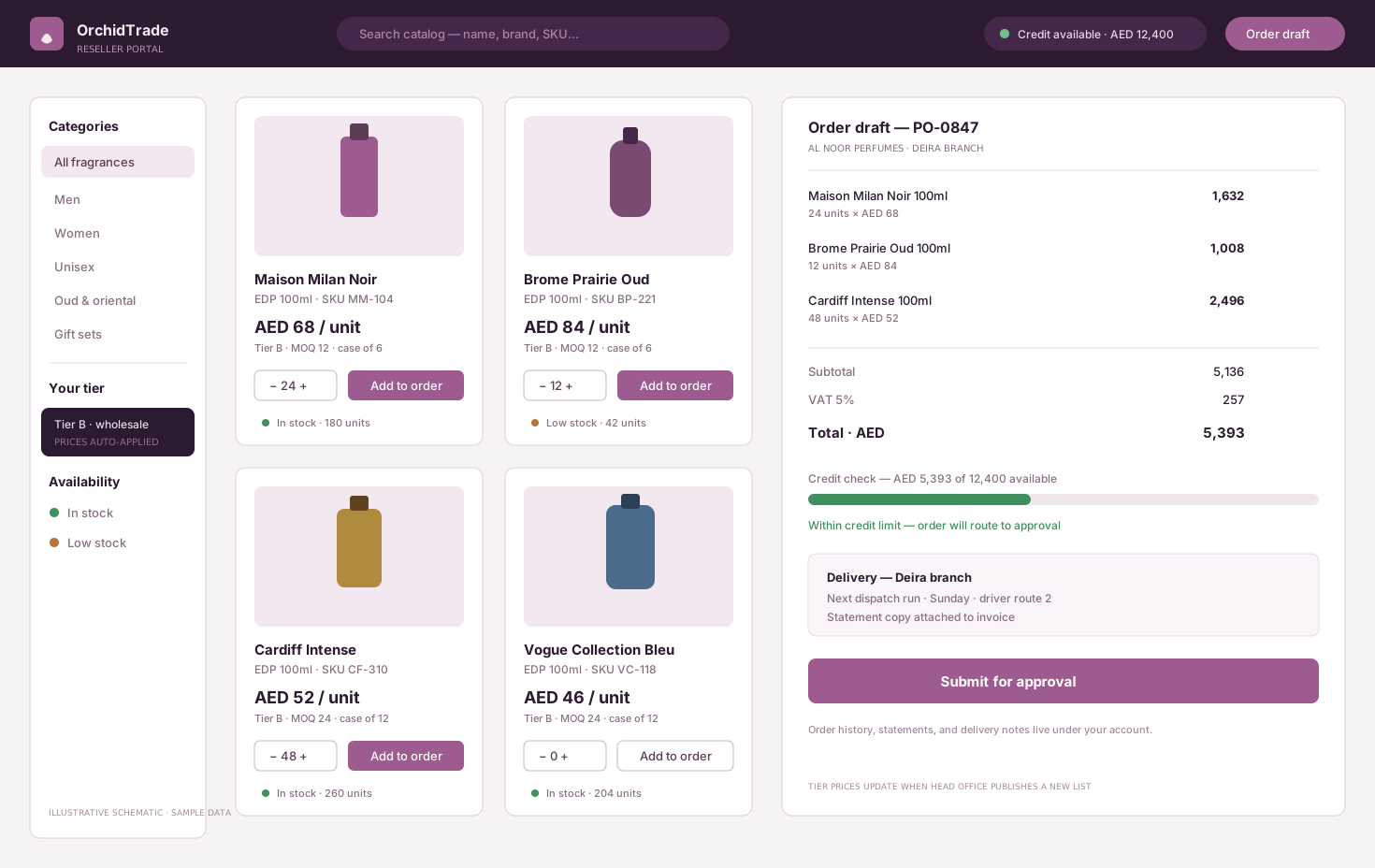
Customers order from their own price list
Resellers or trade customers order from a catalogue priced for their tier, and the order arrives complete, without being typed again.
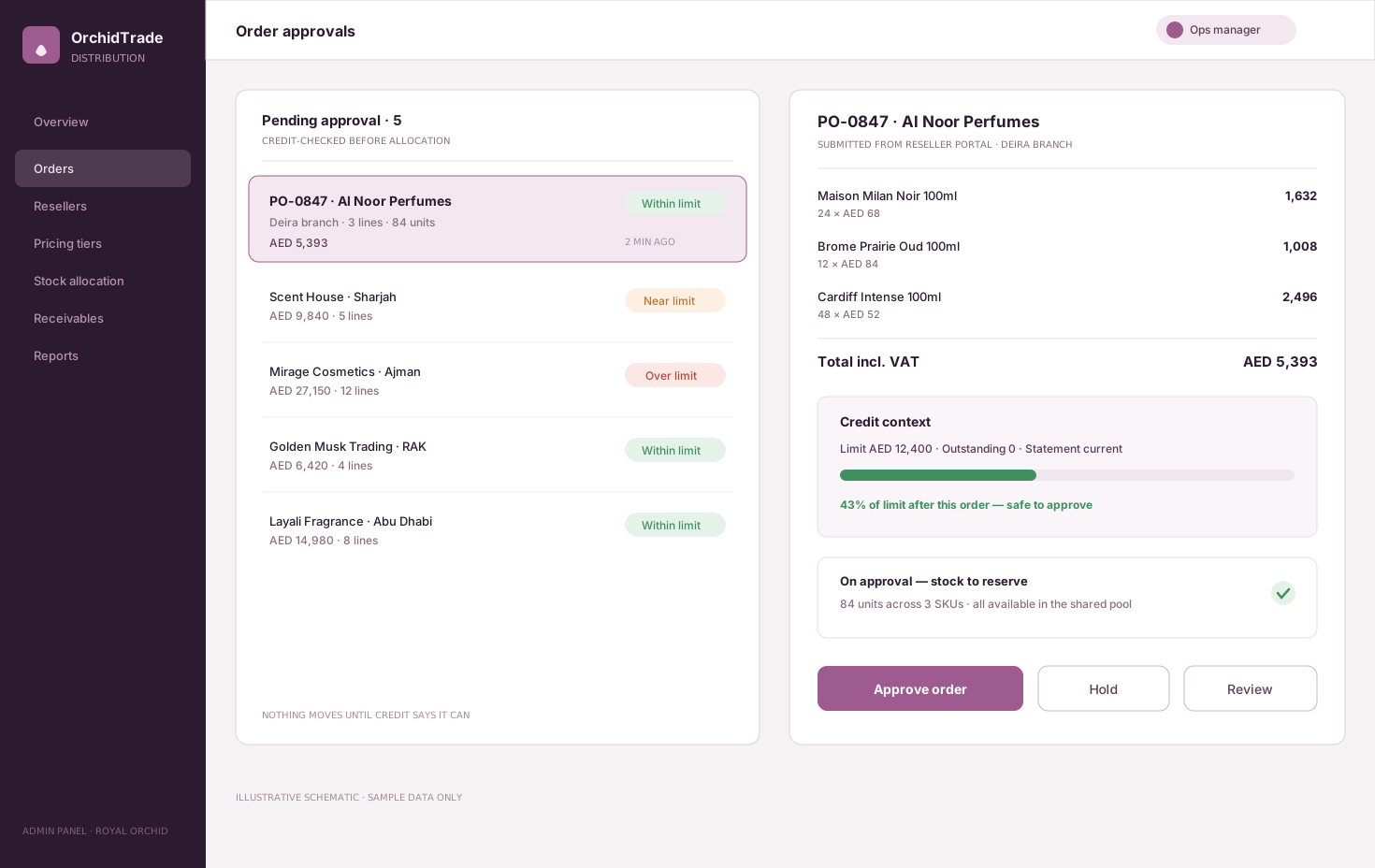
Approve credit and discounts with the context in front of you
Orders over a limit or outside the price rules go to the right approver, who sees the account's balance, history and the order detail on one screen.
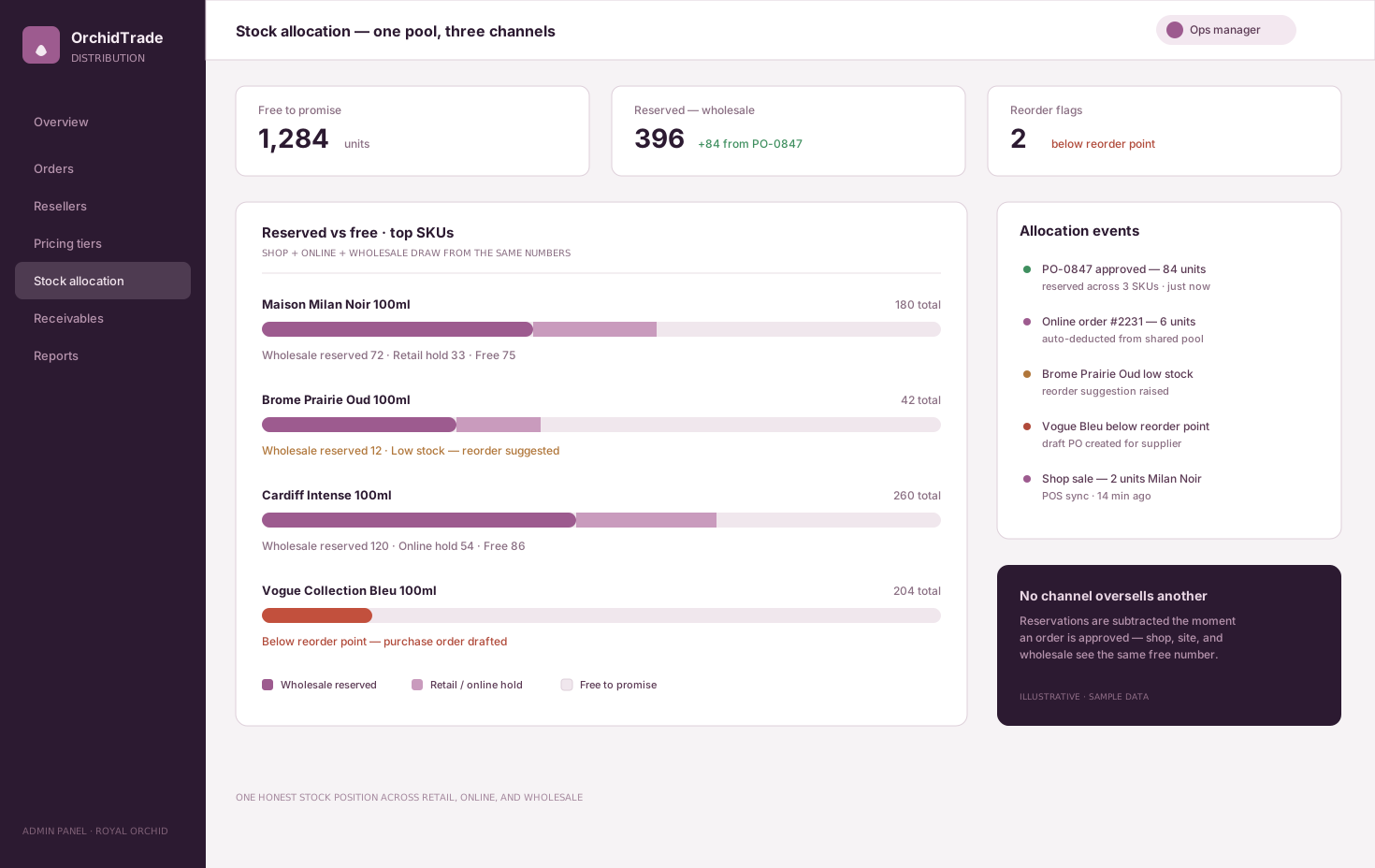
Reserve stock across every channel
Approval reserves stock from the same pool that retail, online and wholesale sell from, so no channel promises what another has already sold.
Reorder from real demand
Low stock raises purchase suggestions, purchase orders go to suppliers, and receiving is checked against what was ordered.
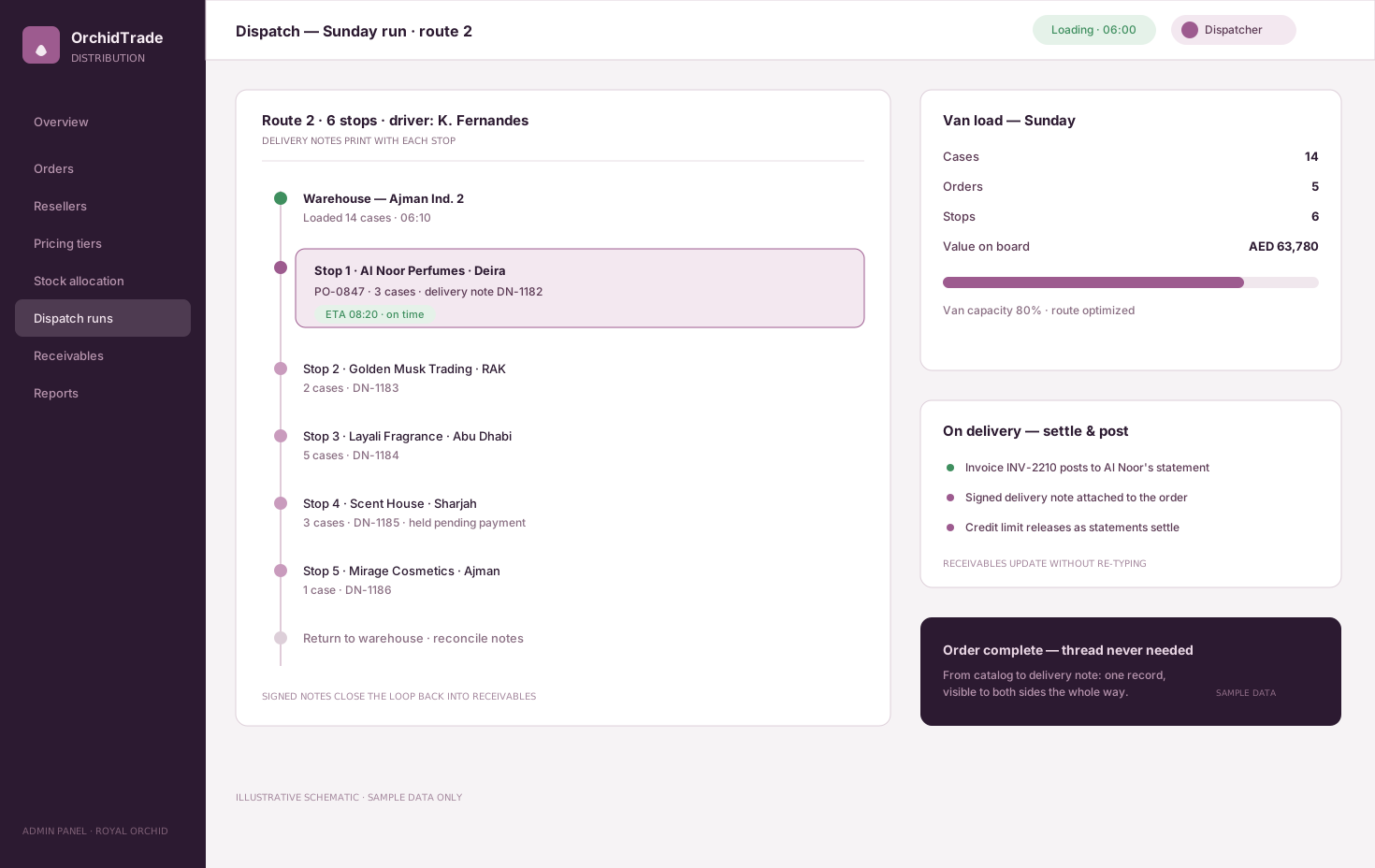
Plan the dispatch run and post the delivery
Orders are grouped into dispatch runs with delivery notes, and confirmed deliveries post straight to the customer's statement.
Invoice, collect and close the month
Compliant invoices, credit notes and receivables flow to accounting, so the month closes on figures every department already agrees with.
OrchidTrade screens are illustrative schematics with sample data, from a system Cicada built for a perfume distributor in the UAE.
The records and controls each department actually uses.
- Quotations and orders
- Customer price tiers and credit limits
- Approval workflows with audit trail
- Stock across warehouses and channels
- Purchasing and receiving
- Dispatch runs and delivery notes
- Invoices and credit notes
- Receivables and statements
- Department-level access
- Management dashboards
Different businesses need different ERP shapes.
Distributors and wholesalers
Tier pricing, credit limits, stock allocation across channels and delivery routes, with receivables that never surprise finance.
- Tier pricing and credit
- Allocation across channels
- Routes and statements
Contractors and project businesses
Purchase requests from sites, project budgets, site stores and costs tracked against each project as they happen.
- Purchase requests by site
- Budget against actual per project
- Site stores and transfers
Rental and service operators
Assets, contracts, maintenance and billing on one record, where the asset is the product and its availability is the stock.
- Asset and contract records
- Maintenance and downtime
- Recurring and usage billing
Keep what works and connect the rest.
A custom ERP does not have to replace everything. Integration planning decides which system owns each record, and which tools stay because they already work.
The custom system
One record of truth. Each connection has an owner and a failure path.
- 01
Accounting
Keep your accounting system as the ledger and post invoices, receipts and journals to it, or move the ledger inside the ERP when that is simpler.
- 02
ZATCA e-invoicing
Standard and simplified invoices issued through an integrated compliant solution, with clearance and reporting status per invoice.
- 03
POS and online store
Branch and online sales draw from the same stock and price lists as wholesale orders.
- 04
Banks and payments
Bank statements and payment gateway reports matched to receivables, from files or bank APIs where available.
- 05
Suppliers
Purchase orders and price lists exchanged by email, portal or file, with receiving checked against each order.
- 06
HR and payroll
Labour cost allocated to projects, branches or departments from the payroll you already run.
Evidence from operational systems we have built.
These systems each connect several departments on one record, which is the core discipline of a useful ERP.
B2B ordering and distribution
OrchidTrade
Reseller portal, credit limits, approvals, stock allocation, receivables and dispatch runs.
Open proof02Rental operations
RentalOps
Availability, holds, mobilisation, maintenance and documents in one workflow.
Open proof03Project costs
SiteLedger
Labour, expenses, wages and budget use per site for a Riyadh general contractor.
Open proofJudge the ERP by handoffs that disappear.
ERP value shows up as orders typed once, approvals with a trail, stock that matches and a faster close. Each should be measured against a baseline taken before launch.
Re-keying
Measure how often the same data is typed twice.
- Orders keyed more than once
- Errors traced to re-keying
- Spreadsheets retired
Cycle time
Measure how fast work moves between departments.
- Order to dispatch time
- Approval turnaround
- Purchase request to receipt
Stock
Measure whether stock records can be trusted.
- Stock accuracy at count
- Stockouts and oversold orders
- Slow-moving stock value
Cash and close
Measure how quickly money and figures settle.
- Age of receivables
- Days to close the month
- Unmatched payments
During discovery, Cicada agrees the baseline, target, measurement owner and review window with you. Results depend on adoption, data quality and operating decisions; they are not guaranteed.
A custom ERP is not always the right answer.
A suite such as Odoo, SAP Business One or Microsoft Dynamics is the right choice when your processes are close to standard and you are ready to adapt to it. Custom ERP earns its place when a few core workflows are what make your business different and the suite would be bent around them.
| Decision | ERP suite | Custom ERP |
|---|---|---|
| Process fit | You adapt to the suite's processes and configuration. | The system follows the handoffs that make your business work. |
| Rollout | Many modules configured and launched together. | One workflow at a time, each one useful on its own. |
| Connections | Partner apps and connectors, often at extra cost. | Built around the accounting, POS and tools you already run. |
| Ownership and cost | Licences per user and module, plus partner fees. | The client owns the code and IP; cost follows the scope you choose. |
Answer the expensive questions before the build.
Each page resolves one question owners and finance teams ask before committing to an ERP.
ERP cost calculator
Compare a custom build with packaged ERP licences over five years, in SAR.
Open pageCustom software or off-the-shelf ERP
A guide for Saudi SMEs choosing between a suite and a custom system.
Open pageInventory management systems
When stock accuracy across branches is the first problem to solve.
Open pageZATCA Phase 2 integration
Connect ERP invoicing to Fatoora with clearance and reporting handled.
Open pageRestaurant ERP for multi-branch groups
When the operation is branches, recipes, a central kitchen and delivery apps.
Open pageHow to choose a software partner
What to ask a custom software company in Saudi Arabia before you sign.
Open pageStart with the handoffs. Release the system one workflow at a time.
- 01
Process map
Follow an order, a purchase and a month end across every department, and mark each re-key and approval.
- 02
Data model and migration plan
Design customers, items, prices and accounts once, and plan how today's data moves across cleanly.
- 03
First workflow
Release the workflow that hurts most, often orders to stock, so the team feels the change early.
- 04
Purchasing, invoicing, finance
Add purchasing, compliant invoicing and the accounting connection once the core is trusted.
- 05
Further modules by risk
Extend to the next department in order of business risk, not in order of the brochure.
Data and access
Each department works with the records it needs, approvals are logged, and price and credit changes keep a full history.
Hosting and Saudi context
Cloud or self-hosted deployment, assessed against PDPL, data location and the NCA's cybersecurity controls.
Ownership and support
The client owns the custom code and IP by default, with documentation and a path for the next module.
Built in Riyadh for Saudi SMEs moving off spreadsheets.
Saudi ERP has local requirements from day one: VAT at 15%, e-invoicing integration with Fatoora, bilingual documents and customers who expect statements in Arabic. Cicada is based in Riyadh and builds operational systems for businesses across the Kingdom.
Practical answers before the first conversation.
01Do we have to replace our accounting system?
No. Many businesses keep their accounting system as the ledger and let the ERP post invoices, receipts and journals to it. Moving the ledger inside the ERP is an option, not a requirement.
02How long does a custom ERP take?
It is built in phases. Most first releases go live in four to eight weeks after discovery, covering the workflow that matters most, and further modules follow in order of business risk.
03Can you migrate from spreadsheets or an old system?
Yes. Migration includes reviewing the source data, mapping and cleaning it, removing duplicates, validating totals and a controlled cutover.
04Should we choose Odoo or a custom ERP?
If your processes are close to standard, a suite like Odoo is usually the better choice. If a few core workflows are what make your business different, custom is often cheaper over time than bending a suite around them. We will tell you which we think fits.
05Can documents be issued in Arabic?
Yes. Invoices, statements, delivery notes and reports can be bilingual, and screens can switch between Arabic and English.
06Can it handle several branches and warehouses?
Yes. Stock, pricing, approvals and reporting can be set per branch or warehouse, with group views for management.
07Do we own the code and intellectual property?
Yes. Cicada Solutions' default position is that the client owns the code and IP for the custom build, subject to the final agreement and any clearly identified third-party services.
Show us where the same order gets typed twice.
Tell us which departments hand work to each other, what tools they use today and where re-keying, approvals or month end slow you down. We will respond with a practical starting point.
- Departments, branches and warehouses
- Current accounting, POS and spreadsheets
- Where re-keying and approvals cost the most time
- Integrations and data to migrate