Restaurant ERP for multi-branch groups in Saudi Arabia
Cicada Solutions builds the back office a restaurant group needs once it passes three or four branches: recipe costing, central kitchen and purchasing, delivery app settlements and a daily profit and loss for every branch, connected to the POS you already run.
- 01Keeps the POS you already trust
- 02Food cost by branch, every day
- 03Client-owned code and IP
- 04One branch and the kitchen first
Five branches on one POS still close the month on spreadsheets.
A good POS tells you what you sold. It rarely tells you what that sale cost, which delivery app paid you short, or why one branch makes money on the same menu that loses money across town.

Food cost is a guess until month end
Recipes live in the chef's notebook, stock is counted once a month, and the gap between what should have been used and what was used only appears when the accountant closes the books.
Delivery payouts do not match the orders
Each platform pays on its own cycle, nets off commission, promotions and refunds, and sends a statement in its own format. Someone matches it line by line, or nobody does.
The central kitchen ships, but no branch is charged
Sauces, doughs and marinated proteins leave the central kitchen every morning. Without a transfer record, the kitchen looks expensive, the branches look cheap and the real margins stay hidden.
Purchasing runs on WhatsApp
Branch managers message suppliers directly, prices drift from branch to branch, and supplier invoices reach accounting weeks after the goods were used.
Follow one dish from the till to the branch profit and loss.
A restaurant back office is a chain of small records: the sale, the recipe, the stock movement, the purchase, the settlement and the journal. When each one is captured where it happens, the numbers are ready before anyone asks for them.
The sale arrives from the POS with its branch, channel and modifiers
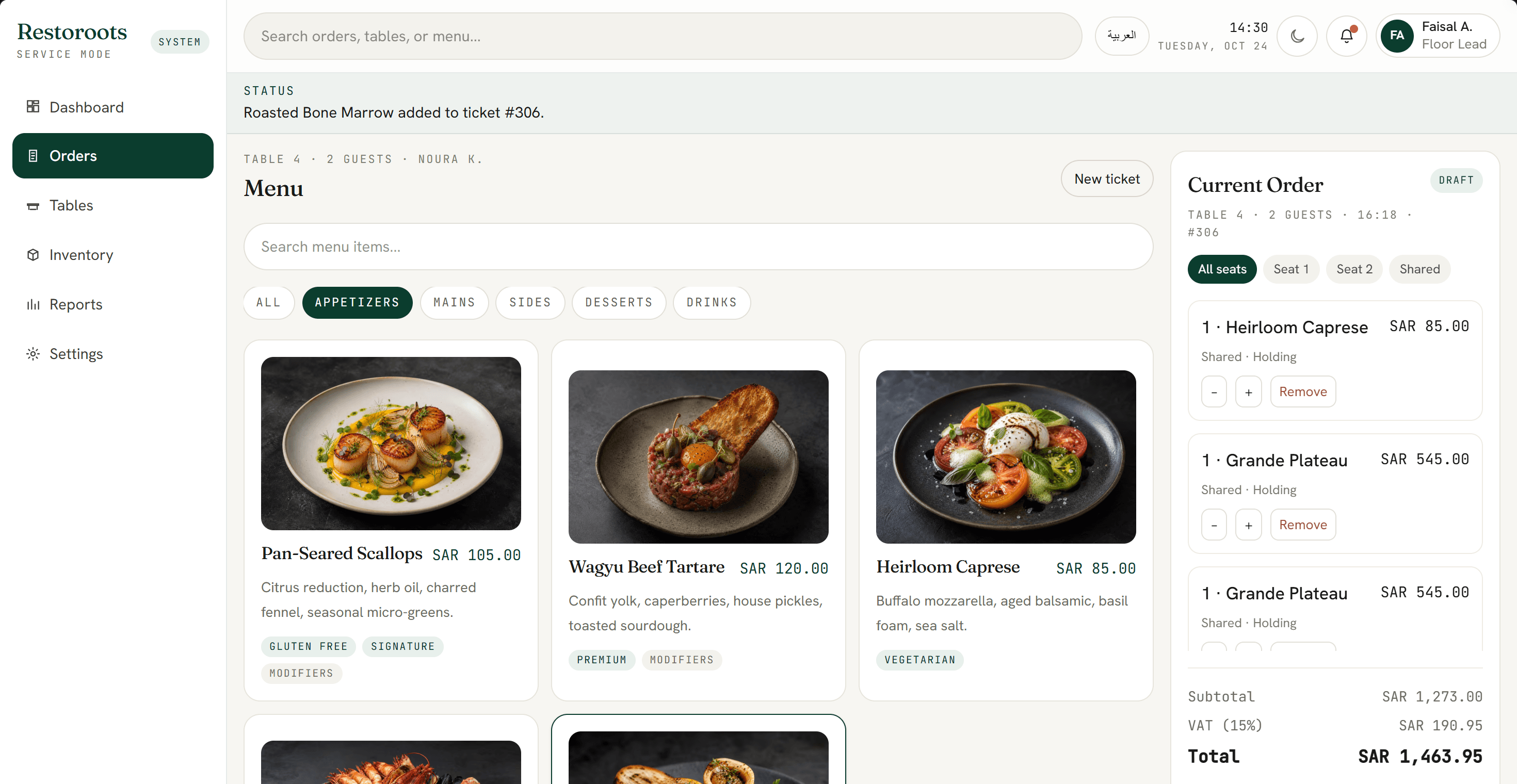
Dine-in, takeaway and every delivery platform arrive as one sales record per branch, whichever POS took the order. Modifiers and combos keep their own recipe lines, so extra cheese is costed as extra cheese.
Each sale deducts its recipe from the branch's stock
Ingredients are deducted by recipe and yield, so the system knows what should be on the shelf. The weekly count then shows the variance by item and by branch, instead of one number for the whole group.
The central kitchen and suppliers refill each branch against par levels
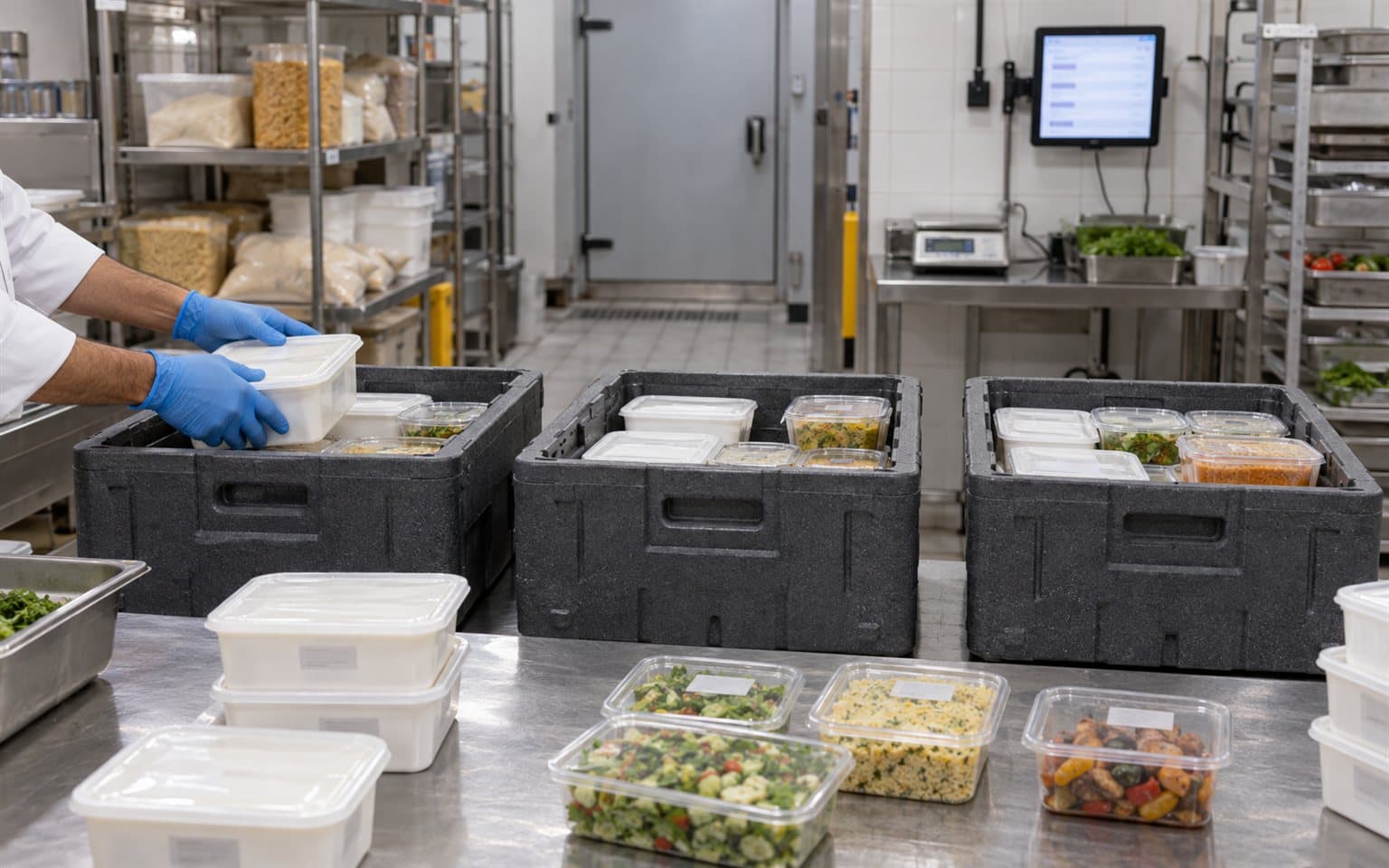
Branch orders go to the central kitchen or an approved supplier at agreed prices. Production is planned from those orders, and every transfer becomes stock the receiving branch now owns, at cost.
Delivery payouts are matched to the orders that earned them
Each platform's statement is imported and matched order by order against sales, commission, promotions and refunds, so short payments are flagged while there is still time to dispute them.
Each branch closes the day with its own profit and loss
Sales, food cost, delivery fees and labour post to the branch's daily view, and a journal for each branch goes to the accounting system without being typed in again.
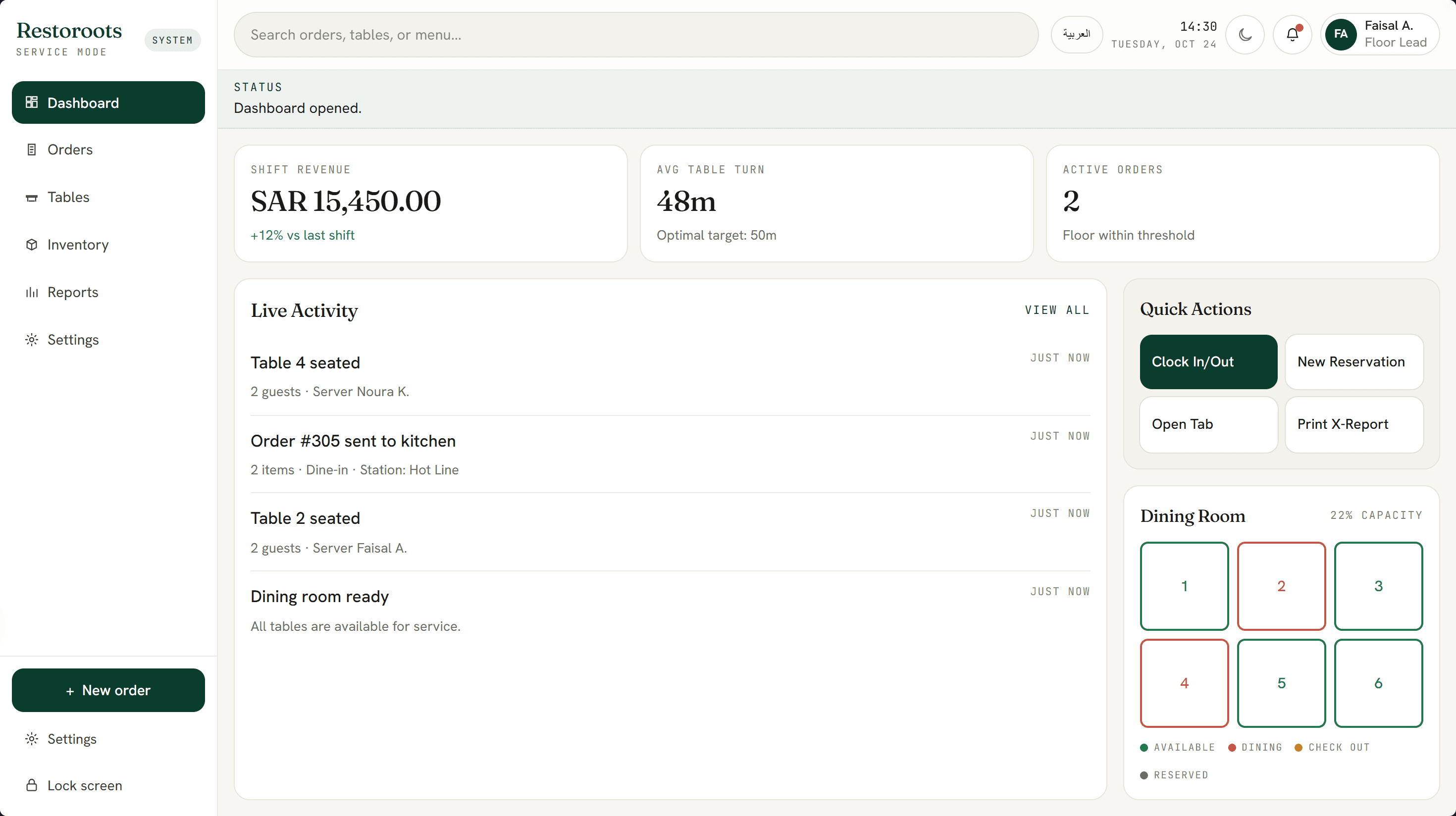
The order and dashboard screens are from RestoRoots, a restaurant POS and kitchen display system Cicada built, shown with sample data. The back office behind them is designed around your menu, branches, kitchen and accounting.
The records a restaurant group's back office actually needs.
- Recipe and sub-recipe costing
- Theoretical versus actual food cost
- Stock by branch and store room
- Par levels and branch orders
- Central kitchen production and transfers
- Supplier price lists and purchase orders
- Delivery app settlement matching
- Waste and staff meal logging
- Daily profit and loss per branch
- Journals to your accounting system
Restaurant groups grow into different back offices.
Three to ten branches on one POS
The POS works at the counter. What breaks is everything after it: costing, transfers between branches, purchasing and a profit view for each branch.
- Keep the current POS
- Add costing and stock behind it
- Branch profit and loss every day
Groups with a central kitchen
Production is planned from branch orders, batches carry their yield and expiry date, and every crate that leaves the kitchen is a transfer at cost.
- Production planned from branch orders
- Batch yield and expiry
- Transfers at cost to each branch
Several brands and cloud kitchens
One kitchen cooks for several brands on several delivery platforms. Sales, commission and food cost are split by brand and by platform, not only by location.
- Profit by brand and platform
- Shared kitchen, separate menus
- Commission and promotion tracking
Keep what works at the counter. Connect everything behind it.
Most groups do not need a new POS. The back office reads sales from the POS you run today and writes journals to the ledger your accountant already files from. It replaces the spreadsheets in between.
The custom system
One record of truth. Each connection has an owner and a failure path.
- 01
Your POS
Sales, modifiers, tenders and voids are read from Foodics or another established POS through the vendor's API, where your plan and the vendor allow it. If the POS cannot share that data, replacing it becomes part of the plan.
- 02
Delivery platforms
Orders and settlements from HungerStation, Jahez, Keeta, Mrsool and others come from partner APIs, approved middleware or the platform's statement files, depending on what each platform offers your account.
- 03
Accounting
Daily journals by branch, brand and tender post to Qoyod, Zoho Books, Odoo or the ledger your accountant already uses, instead of being keyed in from printed reports.
- 04
ZATCA e-invoicing
Sales invoices stay with the POS's compliant e-invoicing. Supplier invoices and branch transfers are recorded with their VAT, so input tax reconciles at the end of each period.
- 05
Suppliers
Purchase orders go out from approved price lists by email or WhatsApp, and goods received are checked against the order before the supplier's invoice is accepted.
- 06
Payroll and rosters
Labour cost per branch comes from your payroll or scheduling records, so the daily profit and loss includes the people who actually worked that day.
Evidence from systems we have built.
No client's books are shown here. What is shown are systems Cicada has built that solve the same problems: a restaurant POS, cost reporting across many sites, and stock allocated and dispatched across channels.
Restaurant POS and KDS
RestoRoots
The sales record a back office depends on: modifiers, tables, tenders and a manager view that stays current during service.
Open proof02Cost by site
SiteLedger
Labour and expenses rolled up into a monthly cost per site against budget, the same shape as a profit and loss for each branch.
Open proof03Stock and dispatch
OrchidTrade
Reserved and free stock across channels, and dispatch runs with delivery notes: the same discipline central kitchen transfers need.
Open proofJudge the back office by the gap it closes.
The value of a restaurant ERP is measured in food cost found, delivery money recovered and days saved at month end. Each is measured against a baseline taken before launch.
Food cost
Measure how closely actual usage follows the recipes.
- Theoretical versus actual food cost
- Variance by branch and by item
- Waste recorded with a reason
Delivery revenue
Measure whether every delivery order is paid as agreed.
- Orders unpaid or paid short
- Commission charged against the contract
- Days to spot a settlement gap
Purchasing
Measure whether branches buy at the agreed price.
- Purchases outside approved suppliers
- Price variance by supplier
- Invoices matched to goods received
Month end
Measure how long it takes to know what each branch earned.
- Days to close the month
- Branch profit and loss available daily
- Journals typed in by hand
During discovery, Cicada agrees the baseline, target, measurement owner and review window with you. Results depend on adoption, stock-count discipline and operating decisions; they are not guaranteed.
Not every restaurant group needs a custom back office.
A single branch, or a group whose POS and its add-on apps already cover costing and accounting, should keep the subscription. Custom work earns its place when the money leaks in the gaps between those apps.
| Decision | POS subscription with add-on apps | Custom restaurant back office |
|---|---|---|
| Recipes and food cost | Depends on the plan; deeper costing often needs another app or a spreadsheet. | Sub-recipes, yields and central kitchen batches, with variance by branch and by item. |
| Central kitchen | Usually run outside the POS or in a separate inventory app. | Production planned from branch orders, with transfers at cost and yield tracked. |
| Delivery settlements | Orders arrive, but payouts are usually reconciled by hand. | Statements matched order by order, with short payments flagged. |
| Ownership and change | Priced per branch or per app, on each vendor's roadmap. | The client owns the code and IP by default and decides what changes next. |
Answer the expensive questions before the build.
Each page answers one question restaurant groups ask before they change how the back office runs.
Restaurant POS software
If the counter and the kitchen are the problem, start with the POS itself.
Open pageCustom ERP development
How Cicada scopes ERP for Saudi businesses beyond restaurants.
Open pageInventory management systems
Stock, transfers and reorder points across store rooms and sites.
Open pageCustom software or packaged ERP?
A plain comparison for Saudi businesses weighing a build against a package.
Open pagePOS requirements for Saudi restaurants
What the till must do for VAT, ZATCA, payments and branches.
Open pageTap to Pay on iPhone for Saudi merchants
What phone payments change for tenders, reconciliation and the daily close.
Open pageStart with one branch and the kitchen that feeds it.
- 01
Cost and stock walk-through
Spend a day in one branch and the central kitchen: how recipes are written, how stock is counted, how suppliers are paid and how delivery money arrives.
- 02
Recipe and account model
Structure recipes, sub-recipes, units, store rooms and the accounts each branch posts to before any screen is designed.
- 03
POS and delivery connections
Connect the POS and each delivery platform, then check a full week of sales against what the books already say.
- 04
Pilot: one branch and the kitchen
Run costing, branch orders, transfers and settlement matching in one branch and the central kitchen through a full month end.
- 05
Group rollout
Add the remaining branches, brands and the daily profit and loss once the pilot's numbers are trusted.
Data and access
Branch managers see their branch, finance sees the group, and every price change, stock adjustment and write-off is logged with the name of whoever made it.
Hosting and privacy
Hosted in a region you approve, with customer and staff data handled in line with PDPL.
Ownership and support
The client owns the custom code and IP by default, with a documented path for support, new branches and new brands.
Built in Riyadh, for groups that grow one branch at a time.
Saudi restaurant groups open branches quickly, add delivery brands from the same kitchen and run Ramadan menus that change their costing for a month. Cicada is based in Riyadh and works with restaurant and hospitality groups across the Kingdom.
Practical answers before the first conversation.
01We already use Foodics. Do we have to replace it?
No, not by default. Foodics and most established POS platforms in Saudi Arabia share sales data with approved partners through an API, and the back office is built around that, where your plan and the vendor allow it. Replacing the POS only makes sense if it cannot share the data you need or the counter itself is the problem.
02Can it reconcile HungerStation, Jahez and Keeta payouts?
Yes, within what each platform provides. Settlements are imported from partner APIs, approved middleware or the platform's statement files, then matched order by order against sales, commission, promotions and refunds.
03How is this different from a restaurant POS?
The POS runs the counter and the kitchen during service. The back office runs everything after the sale: recipe costing, stock, central kitchen production, purchasing, delivery settlements and each branch's profit and loss. Cicada builds both, and most growing groups only need the second.
04Does it handle ZATCA e-invoicing?
Sales invoices stay with the POS's compliant e-invoicing solution. The back office records supplier invoices and transfers between branches with their VAT, so input and output tax reconcile at the end of each period.
05Does it replace our accounting system?
Usually not. It posts daily journals by branch, brand and tender to the accounting system your accountant already uses, and keeps the operational detail that accounting software is not built to hold.
06How long does the first release take?
Most first releases go live in four to eight weeks after discovery, covering one branch and the central kitchen. The pilot then runs through a full month end before the remaining branches are added.
07Do we own the code and intellectual property?
Yes. Cicada Solutions' default position is that the client owns the code and IP for the custom build, subject to the final agreement and any clearly identified third-party services.
Show us where the money goes missing between the till and the books.
Tell us how many branches and brands you run, which POS and delivery platforms you use, and how the month is closed today. We will respond with a practical starting point.
- Branches, brands and any central kitchen
- Current POS and delivery platforms
- How recipes and stock are kept today
- Accounting system and who closes the month